Closed Loop
Features
Everything Closed Loop does today, in the private beta.
Planning
- A full plan to race day. Every week from today to the start line, not a rolling few weeks.
- Races from 5K to ultra. 5K, 10K, half marathon, marathon, or an ultra with your own distance.
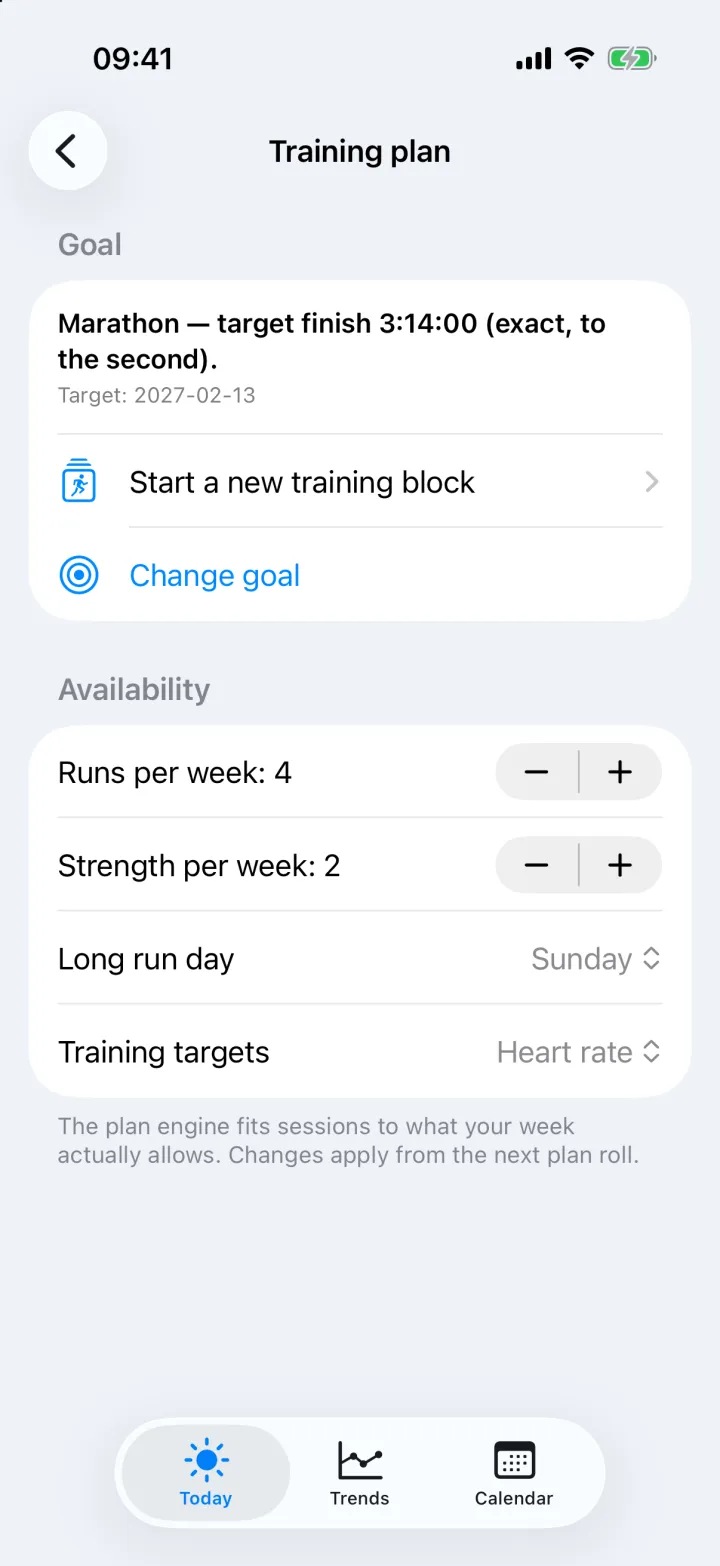
- A target time to the second. Or plan by level, with no time goal.
- Built for your course. Say whether the race is flat, rolling, uphill, downhill or in the mountains, on road or trail, with its total climb and descent. Or load the race's GPX file and the app measures it for you.
- A goal for each slope. Set how far you will run on steep climbs, gentle climbs, flat ground and descents, and the pace or heart rate you want to hold on each.
- Three levels. Beginner, intermediate and advanced plan structures for each race distance.
- Built around your week. You choose how many runs and strength sessions per week and which day holds the long run.
- Phases you can see. Base, build, peak and taper, each with a weekly distance target.
- Strength included, or not. Strength sessions are placed on non-running days where possible. You can switch them off.
- A reason for every session. Each one says why it is there.
- Heart-rate or pace targets. Choose which one your sessions are written in.
- Kilometres or miles. One setting changes every distance and pace in the app.
A plan that adjusts itself
- Weekly re-check. Each week the plan is compared with what you actually ran, and next week is adjusted.
- Walking and dancing count. Big step-count days are credited as aerobic work, so a week on your feet is not treated as a week off.
- Two kinds of load. Heart-and-lungs work and leg-impact work are tracked separately, so returning from a low-running week is neither too timid nor too fast.
- Ramp protection. If running load climbs too quickly, next week is eased.
- Honest goal check. Your fitness is estimated from your own runs and compared with your target time. You are told when the goal is on track, a stretch, or out of reach.
Daily coaching
- Morning verdict. Do today's session as planned, change it, or rest — and why.
- Evening look-ahead. What is coming tomorrow and how to prepare.
- Plain language. No jargon, and always tied to this week and your goal.
- Readiness. A go, modify or rest call from your recovery, sleep and recent load.
- How do you feel? One tap — strong, OK or rough — and the coach takes it into account.
- The best hour to run. From the forecast and your free time.
- One suggestion at a time. The coach may propose a change to a session or to the plan. You approve or dismiss it. Suggestions that are no longer relevant disappear on their own.
Run analysis
- What it was really worth. Pace corrected for climbing and for heat, shown beside the pace on paper.
- Heat measured properly. Uses humidity, sun and wind as well as temperature, because 29° in the shade and 29° in full sun are different runs.
- Plan versus reality. Whether the corrected run was on plan, ahead of it, or below it.
- Heart-rate read. Whether the effort matched what the session should have cost.
- Splits. Every kilometre or mile with its pace, heart rate, climb, cadence, stride and temperature. Tap a split to see them on one chart.
- By gradient. The same run divided into steep uphill, uphill, flat, downhill and steep downhill, each against the goal you set for that slope.
- Coach review. One thing done well and one thing to improve, after every run.
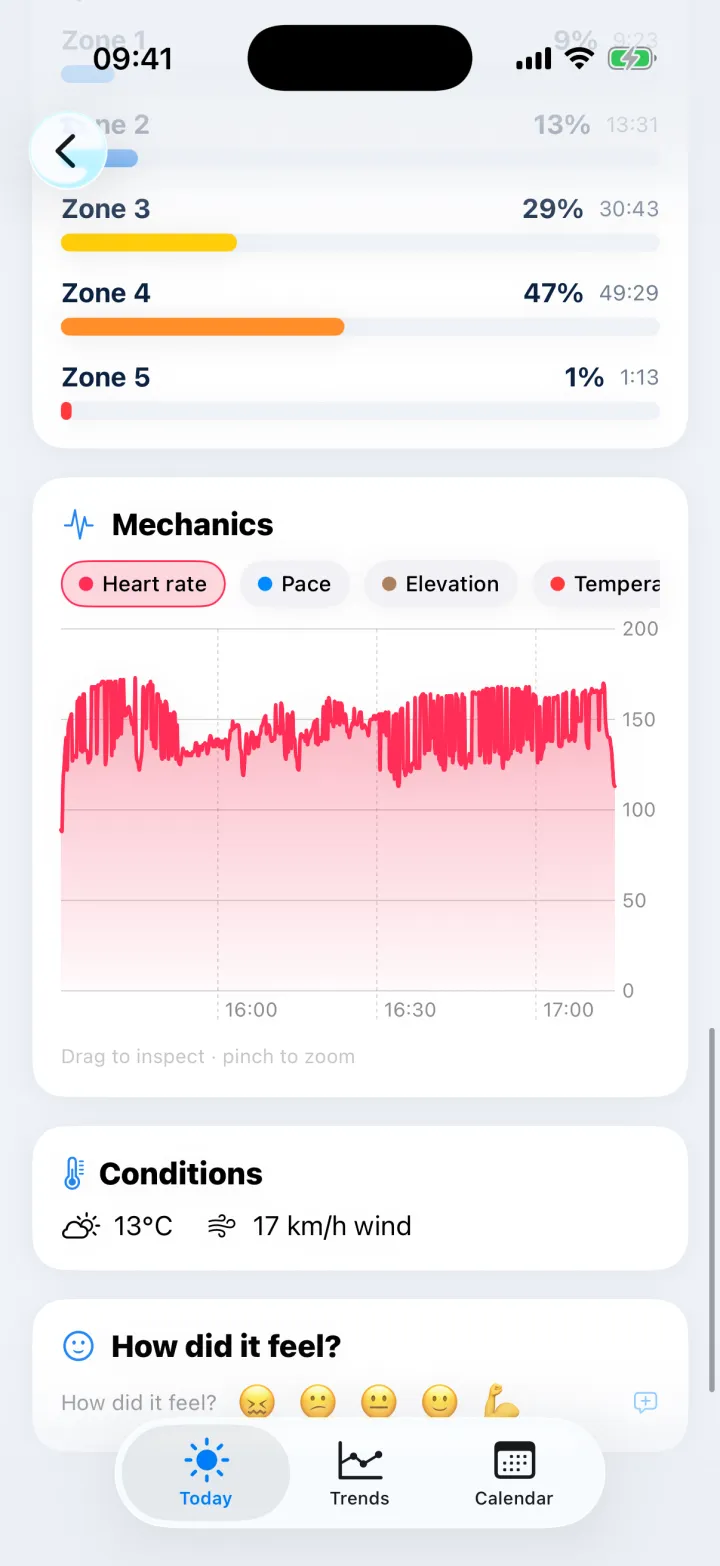
- Route map, heart-rate zones and running mechanics. Cadence, stride and elevation through the run.
- Treadmill aware. Indoor runs are recognised and shown without a map or weather.
- Planned and performed, side by side. See what was asked next to what you did.
Calendar
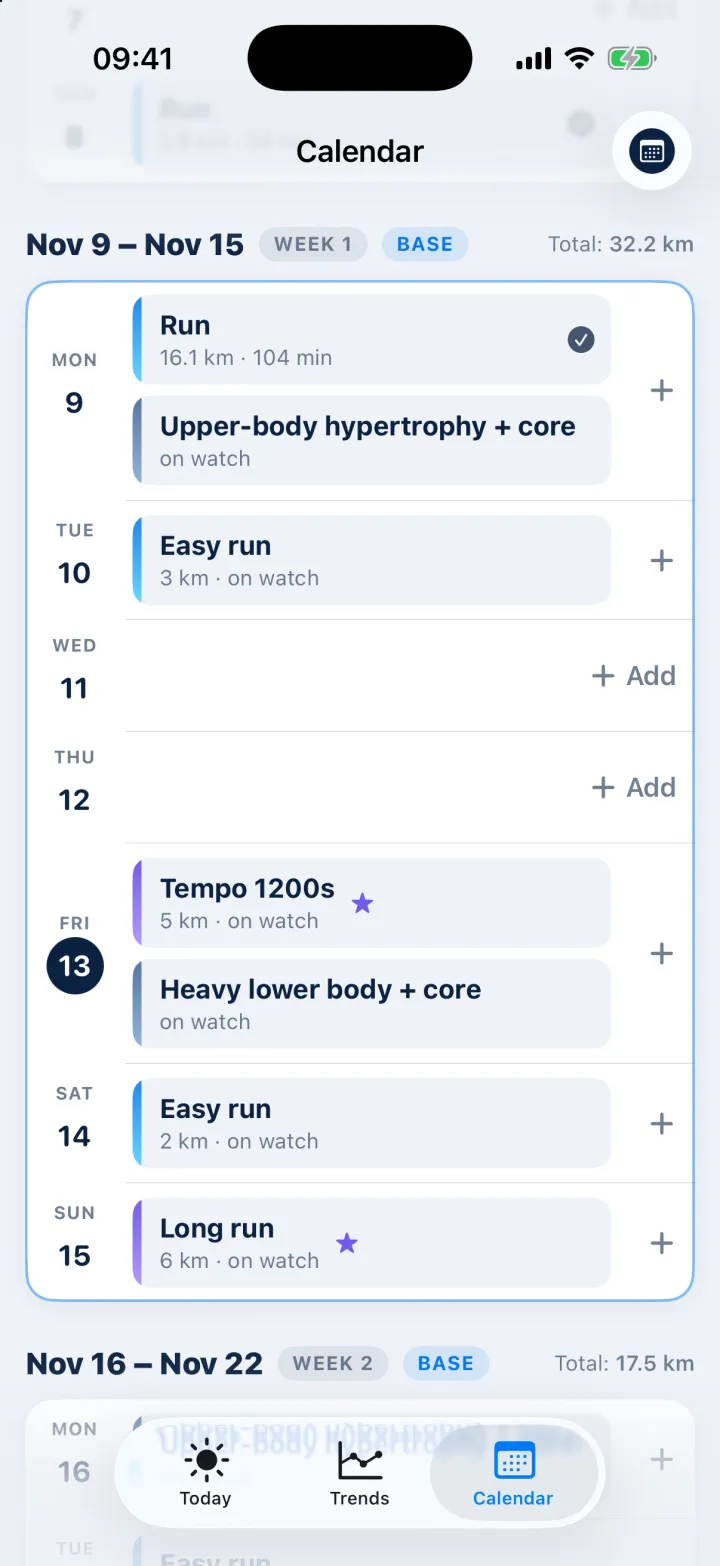
- Your whole plan as an agenda. Week by week, with the phase and the distance done against the target.
- Drag and drop. Move a session to another day and the plan and your watch follow.
- Add your own sessions. Start from a template and edit the steps.
- Edit by asking. Type “make it shorter” or “swap the intervals for a tempo” and the coach rewrites the session.
- Edit by hand. Change the duration, the zone, the steps or the repeats yourself.
- Swipe through days and weeks. The home screen always opens on today.
Trends
- Mileage. Planned against done, week by week, by type of run.
- Pace. How your running pace is moving over the last weeks.
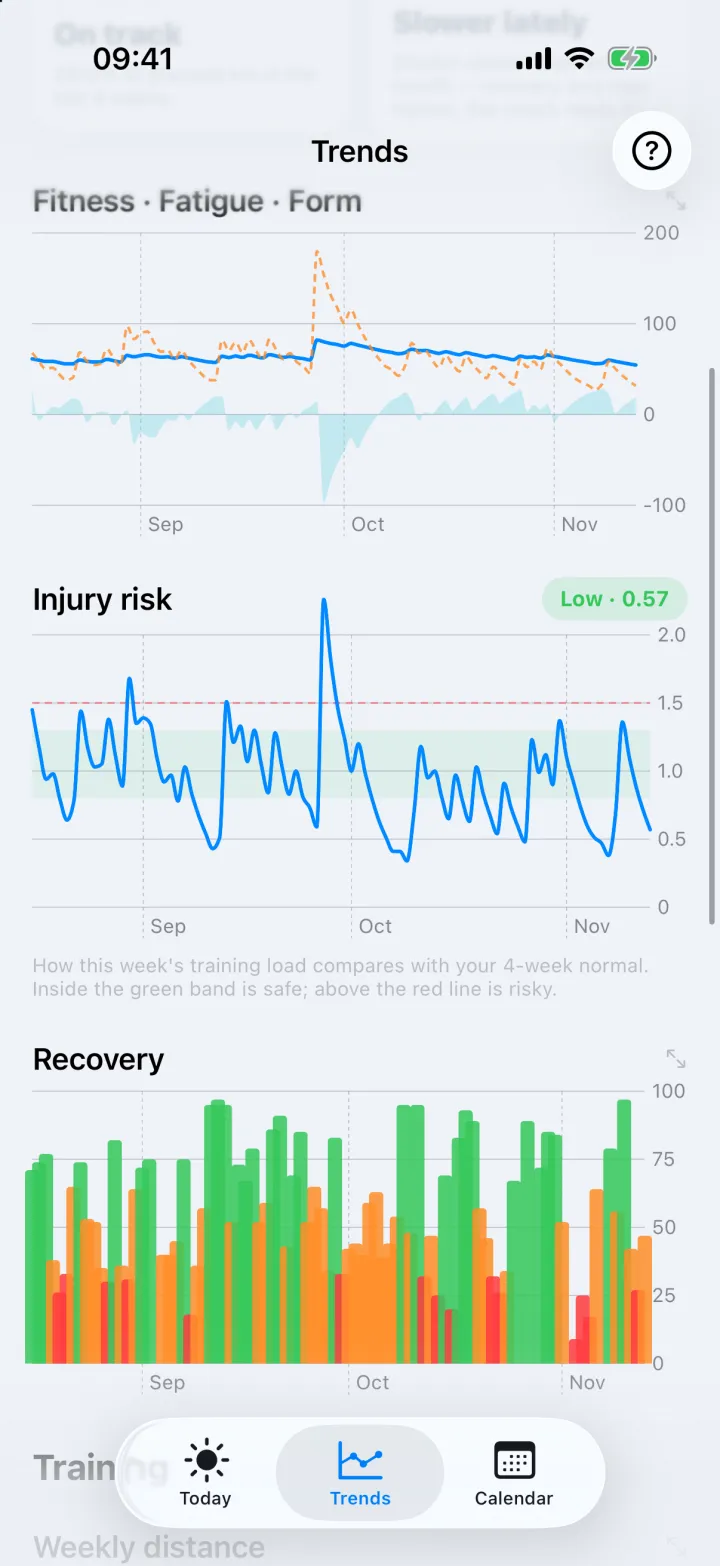
- Injury risk. A plain low, medium or high reading from how fast your load is rising.
- Fitness, fatigue and form. The long view of your training load.
- Recovery, HRV and resting heart rate. From your strap, on the same timeline as your training.
- Weekly distance and weekly climb.
- Stride. Stride length per run, over time.
Before and after the run
- Warm-up and cool-down for each session. A short video routine matched to the kind of run.
- Tick them off. Completed routines are recorded alongside the session.
Your data
- No double counting. A run recorded by your watch and your strap is one run.
- When two sensors disagree, the app says so. If heart-rate readings conflict, you see both and which one was trusted.
- Import activities from a file. GPX and TCX.
- Export your plan. As a calendar file for Apple or Google Calendar.
- Sign in with Apple or Google.
In the app
A closer look
Join the private beta
Closed Loop is invitation-only while we test it with a small group of runners. Email us and tell us what you are training for.
support@closedloop.fitiPhone with iOS 17 or later. Installed through Apple TestFlight. Free during the beta.